When we opened Cabinet in an invite-only beta, it had six leaders and four hires: Nightshift, the Ad Expert, the SEO Manager and the Store Manager. Since then the team has grown. A Content Marketer and a Social Media Manager joined, and this update adds a Receptionist and a Wholesale Manager, both in beta, with a Web Designer built and waiting its turn. Cabinet also connects to more of the tools a company already runs on: Xero and QuickBooks for the books, Outlook, Excel, OneDrive, SharePoint and Microsoft Teams, Faire for wholesale, and Twilio for the phone. Some of these are beta, and we say which below.
What’s new at a glance
- Receptionist (beta): an AI receptionist that answers your business phone, takes messages and transfers calls during your hours.
- Wholesale Manager (beta): watches your Faire orders and stock, and accepts orders within your rules.
- Web Designer (soon): builds and edits your website and publishes only when you approve.
- Content Marketer and Social Media Manager: your blog and your social posts, planned a week at a time. They were not in the first beta post.
- Accounting: QuickBooks connects for everyone. Xero is in beta.
- Microsoft 365 (beta): Outlook, Excel, OneDrive and SharePoint.
- Microsoft Teams (beta): another place for your team to talk, next to Slack, Google Chat and the web.
- Faire and Twilio (beta): the wholesale marketplace and the phone line behind the two new hires.
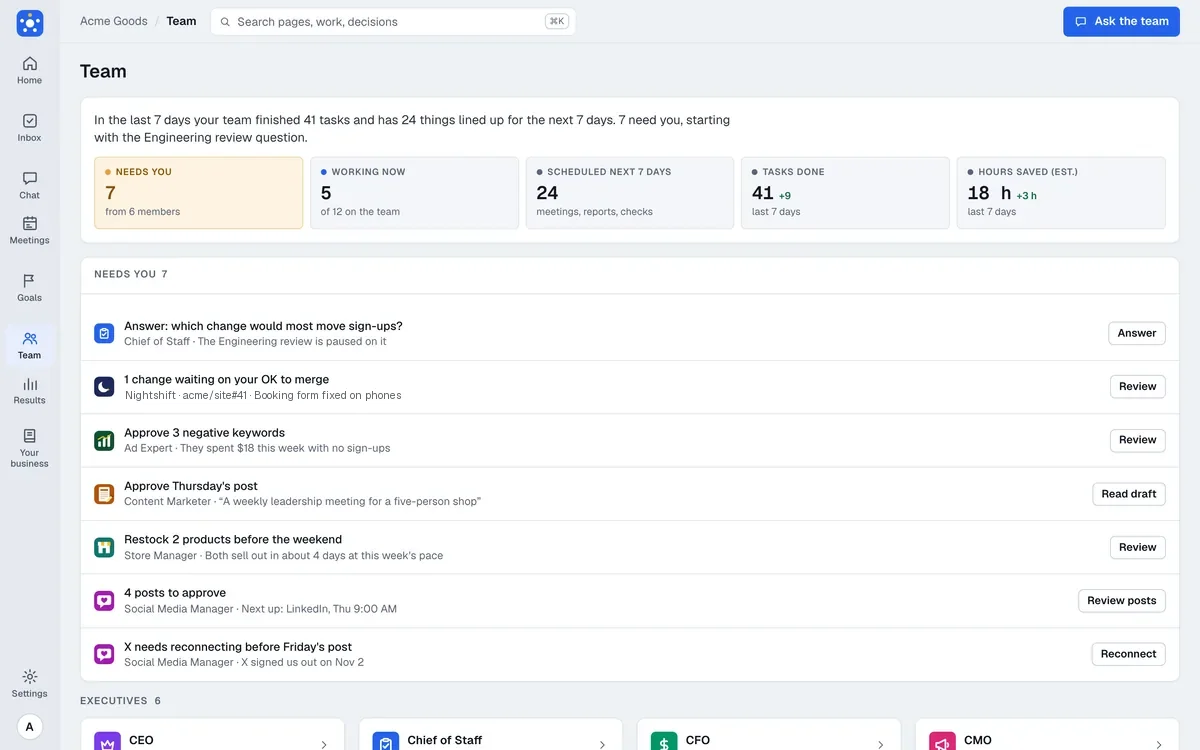
The Team page: one card per member, saying what each is doing now.
New hires
A hire has one job, reports to one of your leaders, works through its own connection, and acts only inside rules you set. Those rules are checked by code, not left to the AI’s judgment. Anything outside them waits for your OK, and every hire has a pause switch on its page.
Receptionist: an AI receptionist for your phone
The Receptionist answers your business phone with what your team already knows about your company. It takes a message, transfers the call to a person during the hours you set, and emails the caller a link you chose, such as your booking page, once the caller confirms their address out loud. It reports to your chief of staff.
You can get a line in two ways. Cabinet can set up a number for you, with nothing to sign up for, and the minutes count against your usage. Or you can connect your own Twilio account. If you want to keep your current business number, you can set your carrier to forward it to the Cabinet number.
The rules are yours. You write the greeting, the business hours and the people a call may go to. A call is only ever transferred to a number you saved, never to one a caller says. You also set what to collect in a message, a time limit for each call, a monthly minutes limit and a daily limit for each caller. Calls are recorded and written up by default, and while recording is on the greeting always starts with a notice that cannot be removed. Each call shows up in Cabinet as a conversation with a summary, so the team can see what was asked.
The Receptionist is in beta because the phone connection is. Nothing it hears is treated as an instruction: a caller’s words are data, and the only things it can do are the few actions on its list.
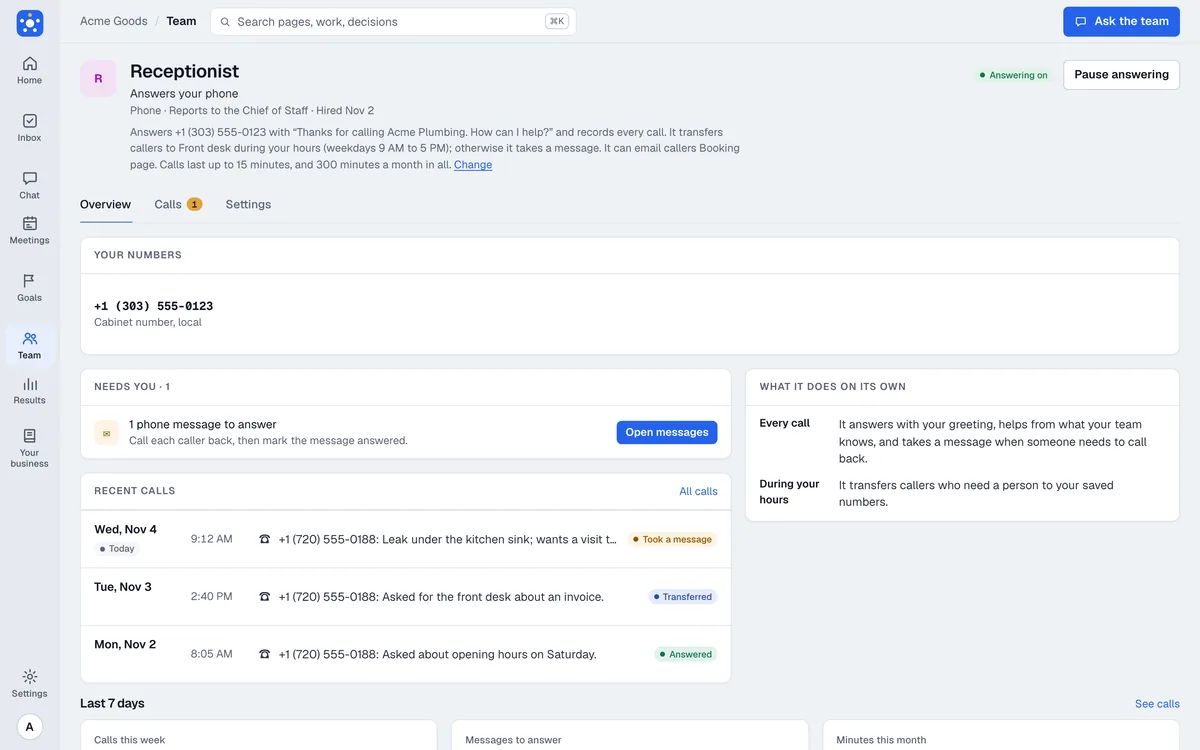
The Receptionist’s Overview tab.
Wholesale Manager: orders and stock on Faire
If you sell to shops through Faire, the Wholesale Manager keeps an eye on the account so you do not have to check it all day. It watches new orders, orders that must ship on time, low stock and retailers due for a reorder, and it writes a morning note and a weekly wholesale report. It reports to your CEO.
It can accept orders and set available stock, and by default each of those waits for your OK. If you want, you can let it accept an order by itself when every item on it is in stock. You also choose which products it never touches and how many changes it may make in a day. It cannot cancel or ship an order, change a price, or write to a retailer, because it has no way to do those things. When a retailer writes asking for a discount or a faster ship date, it drafts a reply for you to copy into Faire and leaves the answer to you.
Faire’s tools do not include messages, so there is a workaround that stays simple. Cabinet gives your workspace a private address. You forward Faire’s notification emails to it, and Cabinet files them by code, so the Wholesale Manager and your leaders see retailer questions and sample requests. The CEO, CFO and CMO also get a wholesale summary in their meetings.
Faire is a beta connection, and the Wholesale Manager is in beta with it.
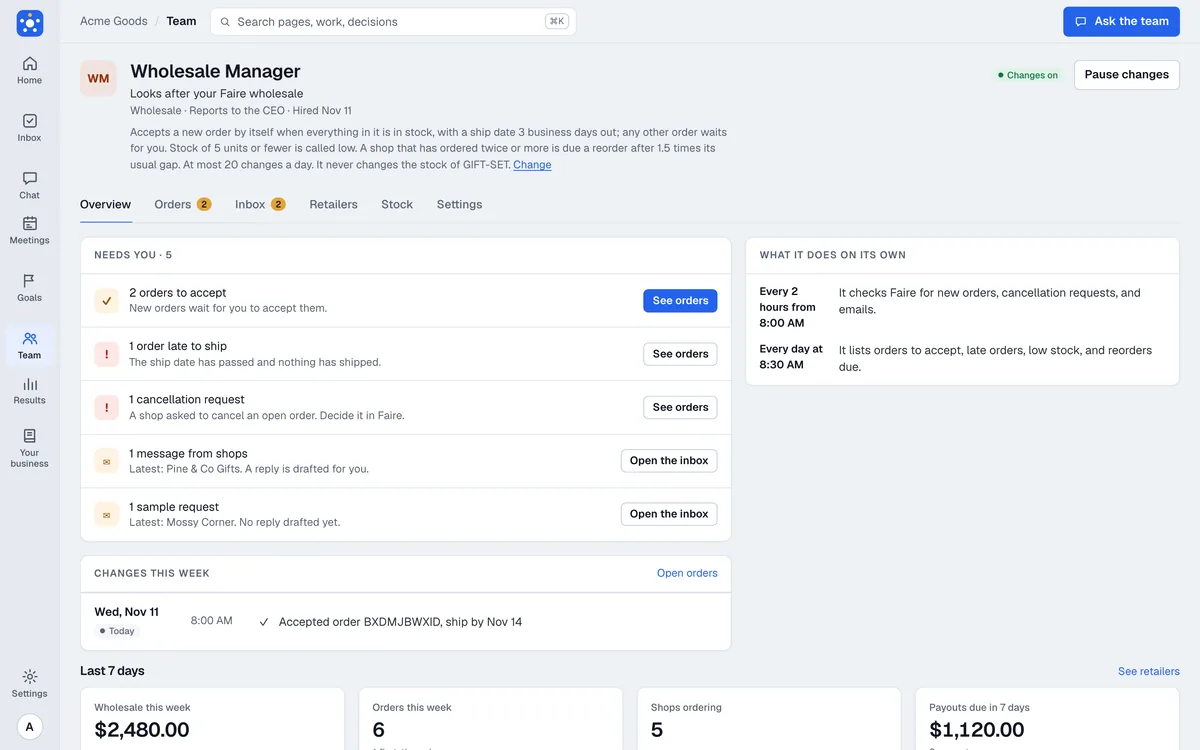
The Wholesale Manager’s Overview tab.
Web Designer: coming soon
The Web Designer builds and edits your website from your requests. It works in your own GitHub repositories, shows you each change as a preview before anything goes live, and publishes it only when you approve. A check in code reviews each change first, and your marketing leaders look at it too. It can attach a custom domain, point a contact form at your Cabinet workspace so leads arrive there, and take over an existing simple site. It reports to your CMO.
It is built, and we are not offering it to other companies yet. We would rather open it when we are sure it is ready.
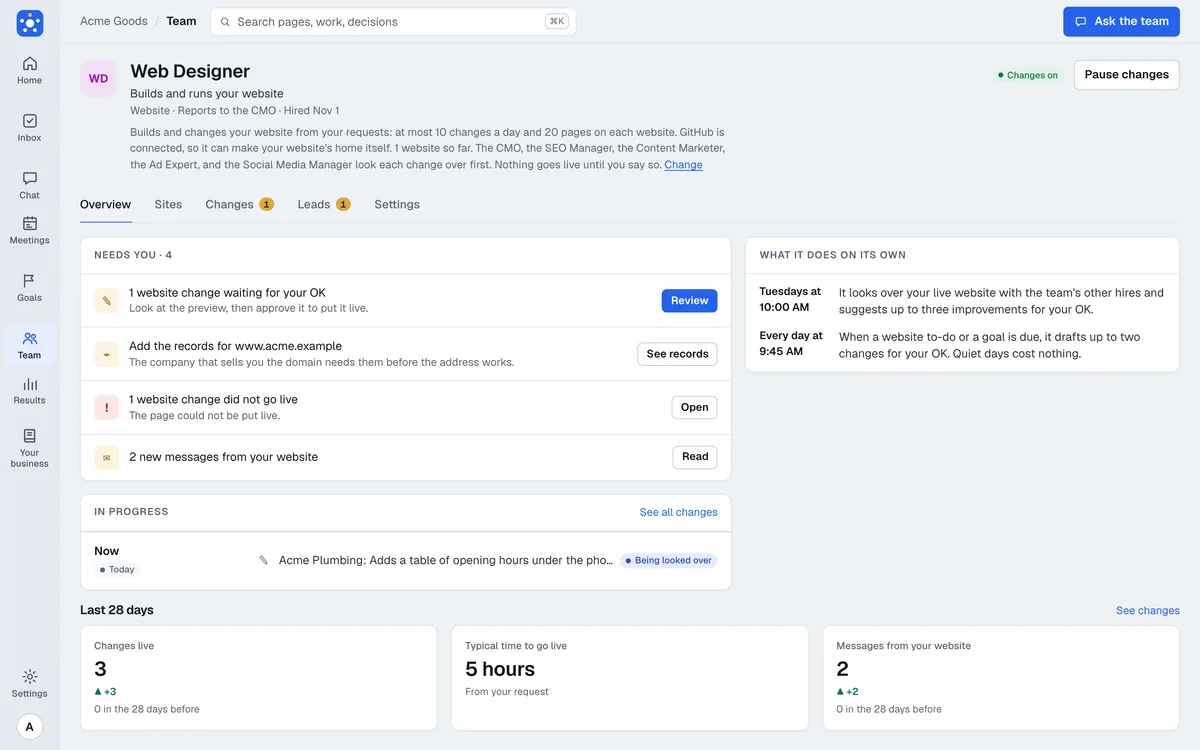
The Web Designer’s Overview tab.
Content Marketer and Social Media Manager
These two joined after the first beta post, so they are new if you have not looked since.
The Content Marketer plans your blog around what people search for, with one search phrase for each post. It writes in your voice and hands you each post as a change to your site, which goes live when you approve it, and it tracks what each post brings in.
The Social Media Manager plans a week of posts for you to approve, fits each one to its network, drafts replies to comments for your OK, and tracks the visits and sign-ups that come from them. It posts to X today. Facebook, Instagram, TikTok and LinkedIn are coming.
Every hire on the team
All nine, with the leader each one reports to. On the Owner plan, where the CMO and CTO seats are not included, those hires report to the CEO.
- Nightshift: an engineer that opens pull requests in the repositories you choose, with a separate review of each. Reports to the CTO.
- Ad Expert: checks your Google Ads setup, keeps spending under your monthly limit and builds the campaigns you approve. Reports to the CMO.
- SEO Manager: finds the pages and searches worth fixing on Google and checks what changed. Reports to the CMO.
- Content Marketer: your blog, from plan to published post. Reports to the CMO.
- Social Media Manager: a weekly calendar of posts and drafted replies. Reports to the CMO.
- Web Designer: your website, changed only when you approve (coming soon). Reports to the CMO.
- Store Manager: your Shopify store’s sales, stock, prices and discounts. Reports to the CEO.
- Wholesale Manager: your Faire orders and stock (beta). Reports to the CEO.
- Receptionist: your phone (beta). Reports to the chief of staff.
Two more are planned and not available yet: a QA tester for your site before each release, and an analyst that tells you what moved and why.
The leadership team
The hires report to six leaders, each with a page of its own. They read a company brief drafted from your website before they speak.
- Chief of Staff: runs the meetings and writes down what is decided.
- CEO: sets direction and what comes first.
- CFO: your money: prices, costs and cash.
- CMO: bringing in customers through ads, search and growth.
- CTO: your website and tech.
- Skeptic: asks the hard questions before you commit, on the record.
A new sign-up starts with the chief of staff, CEO, CMO and CFO. The CTO and the Skeptic can be turned on at any time. Every hire and every connector is on every plan.
New connectors
A beta connector works today, but you may see a warning when you connect, or an administrator at your company may have to approve it first. We tag each one on the Connections page.
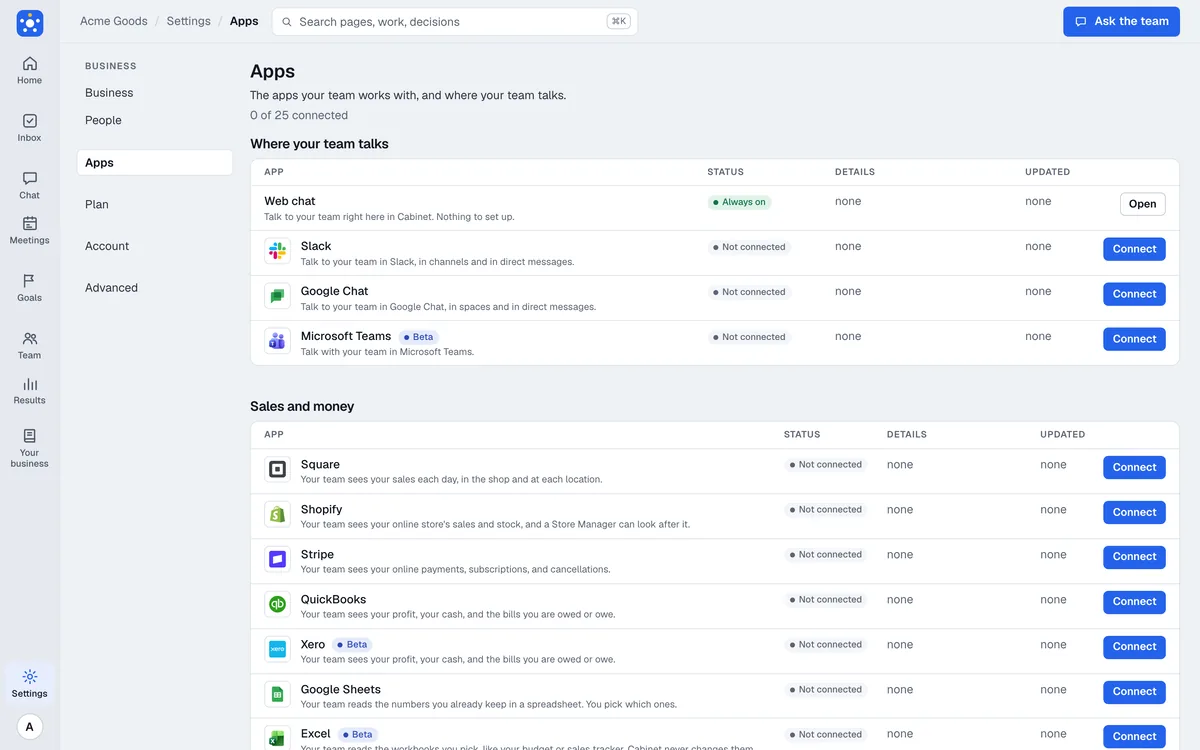
The Connections page, with the beta tags.
Money
- QuickBooks connects for everyone now. QuickBooks Online feeds your CFO the profit and loss, your cash and what you are owed.
- Xero (beta): the same for companies on Xero. A workspace uses one accounting source, so you pick QuickBooks or Xero. For now only a limited number of organisations can connect Xero.
- Square and Google Sheets were already there for in-person sales and for numbers that live in a spreadsheet.
Microsoft 365
All of these are in beta, and for now most companies will need an administrator to approve them. You can see more at Microsoft 365.
- Excel: Cabinet reads your workbooks as a source for numbers, the way it reads Google Sheets. It does not change them.
- Outlook: Cabinet can send an email from a person’s own mailbox, but only after that same person approves it, and it keeps one calendar named Cabinet. It never reads your mail.
- OneDrive and SharePoint: a place to keep a copy of your workspace’s files, under Settings, Your storage, next to Google Cloud Storage, Google Drive and Azure Blob.
- Microsoft Teams: a place your team talks to Cabinet, like Slack, Google Chat and the web. Cabinet is not in the Teams Store yet, so a Teams administrator uploads its app package.
Wholesale and phone
- Faire (beta): the wholesale summary for your CEO, CFO and CMO, the forwarding address for Faire’s emails, and the Wholesale Manager.
- Twilio (beta): the phone line behind the Receptionist, on a Cabinet number or your own account.
Coming soon
These are not usable yet. We will add each one here when it is.
- Procore, for contractors: a summary of your projects.
- Google Chat, as another place to talk to your team.
- Facebook, Instagram, TikTok and LinkedIn, for the Social Media Manager.
- Salesforce and Buildertrend.
How to try it
Cabinet is still an invite-only beta. The team page lists every leader and hire with what it connects to, and the pricing page has the plans: a free trial that needs no card, then Owner, Team and Pro, each with every hire and every connector. If you would like to see the weekly rhythm before you hire anyone, try the weekly leadership meeting kit, or read how to use AI agents to run your company.